I was going to preface my comment with “for the US”. Stores like Ikea, Home Depot, Costco, Lowes, etc. in the US which sell large items, or items in large quantities, are called “big box stores”. It was a joke, hence the apologies, but not much good outside the US.
@Kleinfeld_Technical I understood 
Maybe you can try with igus bearings or that kind of bearing, those are a big improve, you also can try with foam under the printer an be sure that the fesk isn’t touching the wall, i have my bedroom next to where is the printer, i separed the desk and since then i can’t hear it any more.
not sure of what all you have tested but here are a few thoughts.
Short of a faulty driver on the board, some kind of damper (already mentioned) between the Y axis motor and the frame might be all you need if it is stepper noise. Any time sound is transmitted through changing materials (metal, plastic, metal) there is a dampening effect. Metal bracket directly to metal frame can be really noisy.
If you take the belt off the stepper does it still make a loud noise? Could be that your Y belt is too tight which will cause the stepper to labor and make a lot of noise.
If the motor is quiet with no load what does your carriage sound like with just the bearings?
On a different note, isn’t there a speed limit when in silent mode or did it just lower the torque?
@Jeff_Parish actually when I remove the belt it gets louder, for some reason.
The carriage almost doesn’t make sound apart from the small vibrations from the bearings.
I think silent mode only reduces torque, but at the same time that limits the speed, because if you go to fast the stepper might loose steps and then you get layer shifting.
Then I would agree with you that it is the motor/motor mount. Your belt is likely absorbing some noise and vibration then if it gets quieter with it on. Maybe your motor shaft is loose in its bearing tolerances?
How does the motor turn my hand? Smooth or does it catch?
Can you swap it with another motor on the printer and see if the noise follows the motor or stays with the location.
Your notion of replacing the stepper might be the solution.
Do you have rigid foam board at you local hobby shop, those are large enbough to make a box to cover the unit. The foam board is usually a dollar or two per sheet.
The issue is the stepper drivers. The Rambo mini that comes with the mk2 does not have the trinamic stepper chips that are much quieter you could try using a different board with the trinamic drivers. See toms video on his take https://youtu.be/sPvTB3irCxQ
@Max_Moors The point mentioned above about the drivers might be something to check into but your X motor is already quiet if I understood the history of this thing correctly. Both motors have the same drivers and micro stepping correct?
Aside from swapping the motor with your X to test for bad motor or bad driver, you could also keep the motor detached from the frame and feel for vibrations in it as you listen to the sound it makes while running. This might help pinpoint the source of the issue.
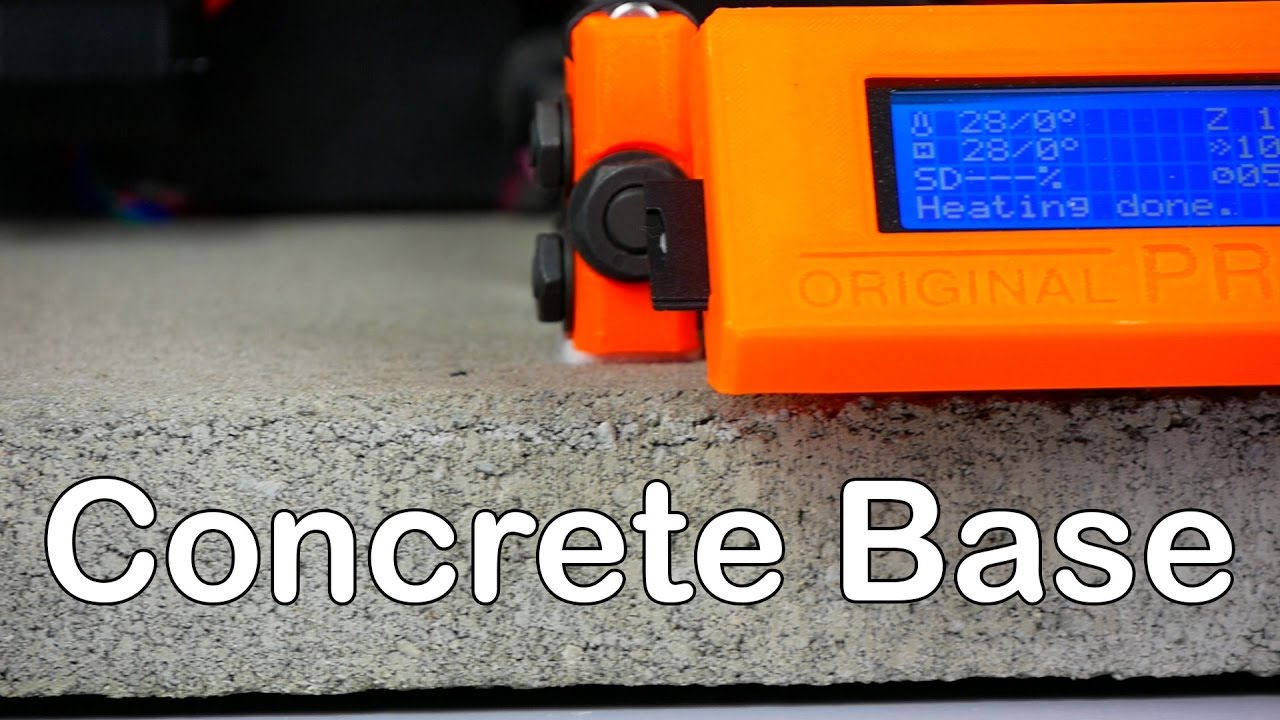
I added a big heavy paver and 4 super rubber feet and it reduced the noise by half for me. Also, my prints are better.
Highly recommended. And cheep.
I have drylin bearings on my y axis, reduced the sound of the bearings but the stepper is still the loudest
My 3d printers have replaceable drivers and I just replaced the xyz drivers with tmc2100 drivers made a few config changes in the firmware and I was rewarded with a much quieter environment. Before the drivers, I tried cork spacers on the motors, the Astrosyn motor dampers, soft synthetic rubber isolation feet and placing the printer on 2 cement cap blocks. The last one was from another video I watched. In the end the stepper driver was the one with the most impressive change and I still use the cap blocks. The foam insulation is only effective inside of a box; it was Is how they used to quiet down impact printers in office environments.
Here are some info on the stuff I mentioned

http://www.tricklaser.com/Stepper-motor-insulators-3-pack-SMI-3.htm
I have difficulty in getting people to believe this, but these:
and you’re done. Try (gently!) lifting the printer by its frame when it’s printing so it’s not touching the table/bench and listen – these feet achieve a noise level really close to that. You’re basically left with just fan noise unless you run it in noisy mode or run it really fast (I have x/y movement at 120mm/s nowadays as I’m running 24/7 and am time limited, and as a result I do have Y axis noise even with the feet, but it’s much, much quieter than without the feet).
@Mark_Wheadon isn’t that almost the same as the anti vibration feet you can get from thingiverse (the ones I have under the table)
@Mark_Wheadon And the plus of Amazon of course is that if they don’t satisfy then you can return them.
@Mark_Wheadon yeah but the only reason I don’t order with amazon is because I don’t have a credit card that I can use. I only have a debit card that has my bank account number on it and nothing else
I would try an Astrosyn style motor damper.