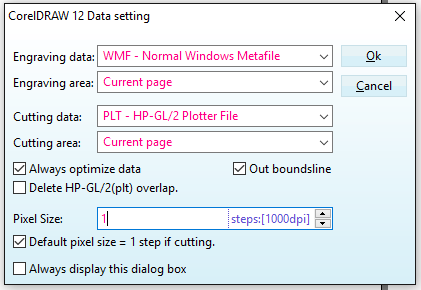
Hey everyone, I upgraded my laptop (Windows 10) and I managed to successfully install

Hey everyone, I upgraded my laptop (Windows 10) and I managed to successfully install CorelDraw 12.0.0.485 and CorelLaser 2013.02.08.00289. The laser cutter is recognised and connected to the laptop - all seems fine.

When I change the origin coordinates the laser head seems to move at a normal speed, however when I cut my work piece, no matter what speed setting (I set it to 7mm/sec), the laser seems to go crazy fast.

Any thoughts on what settings I need to adjust or what may be causing this issue?

6eb5deae8183cc5c7b214a78d551a4b1.png

7467b8f021a2e07bc936030bf1e4795d.png

Actually… Hubby found the setting! I needed to configure the Mainboard to the same one found on the controller board.

Yes mainboard and device ID need to be set as noted on the controller board. #K40Stocksoftware

0e11475fd8560783ecba54def0ac0aa8.png

Other recommended settings.

c628cc39d85b0c0a8e420d4986f58e4c.png

I wonder if this would help me, when I try and engrave with corel laser the stepper motors move slow enough to cut not engrave.