Just got to ‘working’ tonight with a new GPIO widget for Chilipeppr.
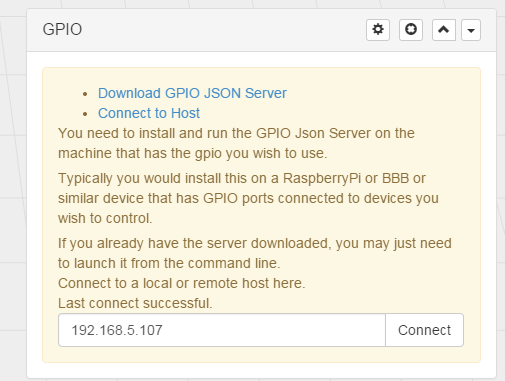
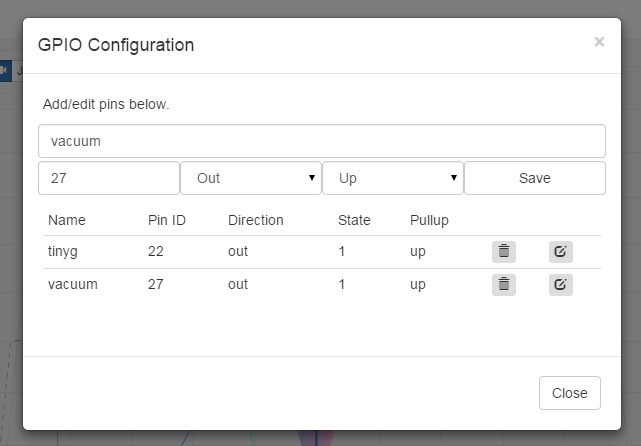
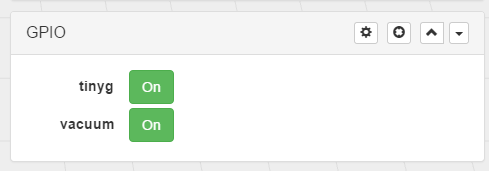
Couple of screenshots attached below.
Basically this is a simple Go based GPIO server. You install it the same as you do for the Serial Port JSON Server, and then connect to it using the GPIO widget I’ve thrown together (link below).
Once connected you can configure your GPIO pins and the widget then provides you with controls to modify them. I use this for turning on and off my TinyG and my ShopVac which are connected to two pins on my Raspberry Pi.
I’ll be putting up binaries for Raspberry Pi and BBB later.
Source : https://github.com/benjamind/gpio-json-server
Widget : http://jsfiddle.net/benjamind/L3c7csaw/
I’ve spoken to @jlauer and he’ll be including a GPIO button like the other addons in the UI when its ready so this will be easy to pull into your workspace.
Future plans include PWM support (so I can dim my LEDs) using Pi-Blaster for low CPU usage. I’ll also be adding w1-therm reading so you can graph temperatures inside enclosures and things like that.
Enjoy!