Originally shared by John Lauer
New macro widget available inside http://chilipeppr.com/tinyg that lets you control your CNC machine from Javascript code. Writing macros for CNC has never been this easy.
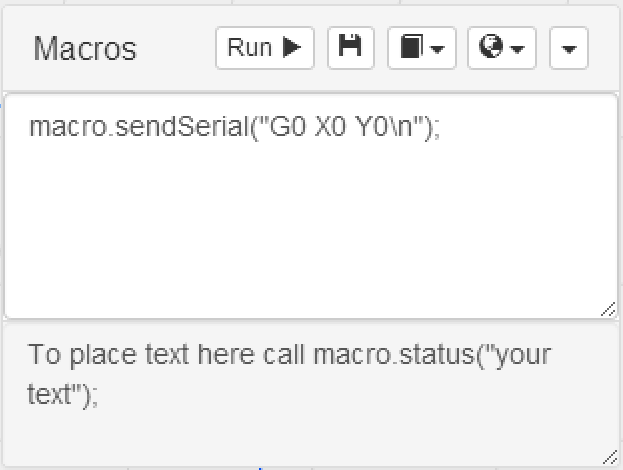
Originally shared by John Lauer
New macro widget available inside http://chilipeppr.com/tinyg that lets you control your CNC machine from Javascript code. Writing macros for CNC has never been this easy.
I would like to get a tutorial on macros, I think I need to get my concepts bit more clear, any help or hint???all the best for the CNC community
Well, here’s one basic example.
// Loop the CNC machine
macro.sendSerial(“G90\n”); // abs mode
macro.sendSerial(“G0 X0 Y0\n”); // 0,0
var timeout = 1000;
var cmds = [];
var ctr = 0;
for(var x = 0; x < 10; x++) {
for(var y = 0; y < 10; y++) {
cmds.push(“G1 X” + x + " Y" + y + " F100\n");
setTimeout(function() {
var cmd = cmds[ctr];
macro.sendSerial(cmd);
macro.status("Sent " + cmd);
ctr++;
}, timeout);
timeout = timeout + 1000;
}
}
It uses classic C syntax?
Thanks a lot, any other resources?
That’s Javascript. Inside the macro widget there is sample code for a lot of different stuff so that’s probably the best resource. Also, you can look at the pubsub for each widget to see how to interact with that widget from a macro. So,for example, if you wanted to sync a spindle sensor with your CNC controller, perhaps do something like this in a macro:
chilipeppr.subscribe("/com-chilipeppr-widget-serialport/ws/recv", function(data) {
if (data.P == “COM4”) {
// this is data from my Arduino sensor
if (data.D.match(/1000/)) {
// I’m at 1000rpm, now move Z into aluminum
chilipeppr.publish("/com-chilipeppr-widget-serialport/send", “G1 Z-2 F100\n”);
}
}
});
Getting it, I will bother you if I get stuck, is that ok??
For sure. Curious what you come up with.