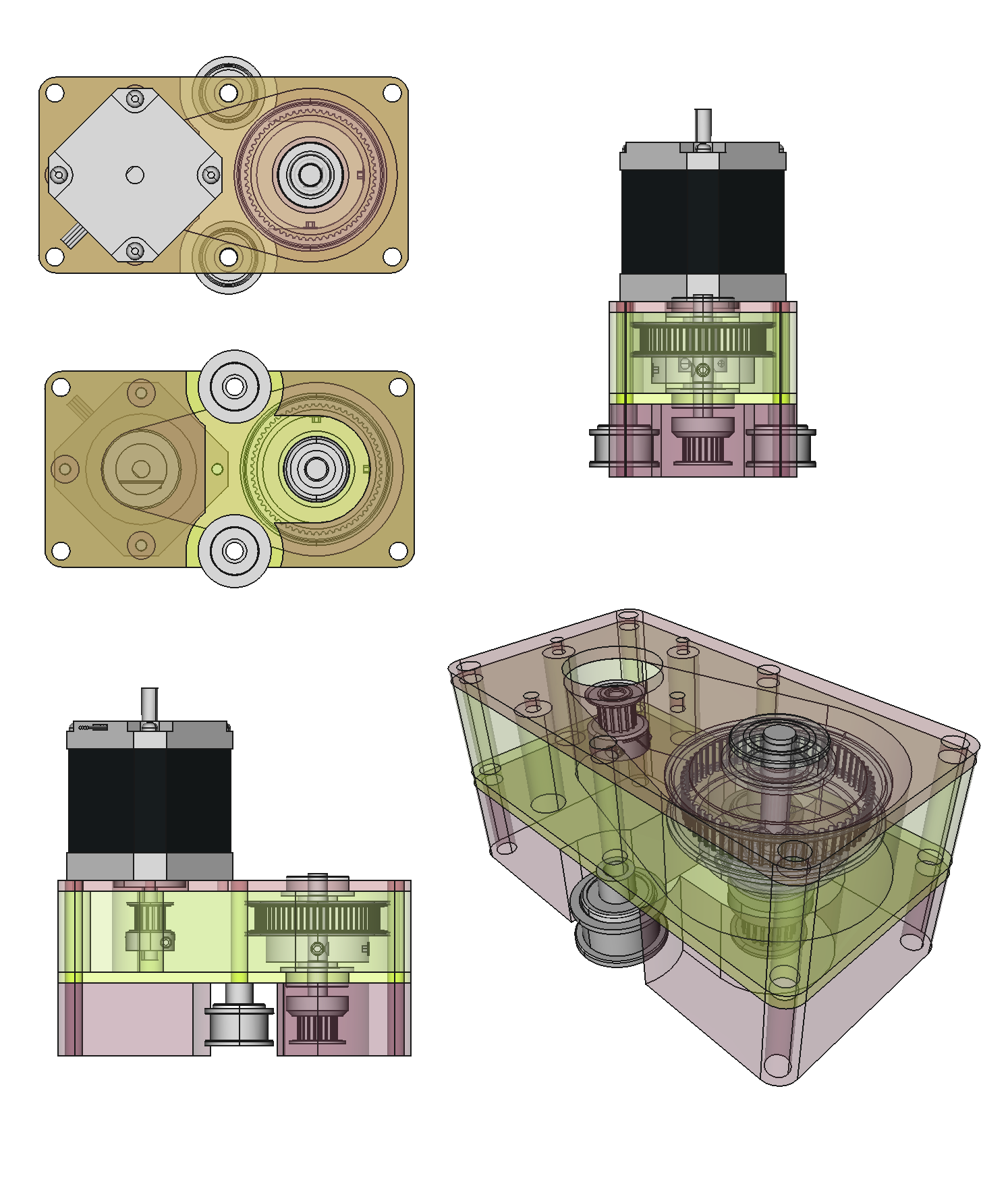
100 micron resolution with shapeoko ??!! Yes I can :D. At this point I can drive the motors with this configuration at 1000mm/min, I am happy with this since I usually cut at 400mm/min-500mm/min.
The configuration shown uses outside-belts configuration; this is not require, I design it so it can be a direct replacement to the regular stepper motors. For in-belt configuration just don’t make the idle wheel blocks. The upper screw have the NEMA23 profile and is just a direct mount or replacement for stepper motors. The pulley the drives the belt is a 20 teeth just as regular shapeoko . Without the idle wheel blocks it will look like this early prototype (https://lh6.googleusercontent.com/-BbDuItj7Znw/UuoQa1HvqWI/AAAAAAAALbk/MORKitksLl4/w878-h494-no/IMG_20140128_215425129_HDR.jpg).
Here is the measurement data at different micro stepping and pulley ratios, all are GT2 2mm pitch belts and pulleys and driven with tinyg :
This is nice. I do a lot of PCB milling and am always looking for better resolution out of Shapeoko. How much better does the torque get? I stopped doing 8x microstepping due to the reduction in torque it causes. Got any videos of it put together?
T2=4T1, One of the formulas for Torque is T=Fr, force is the same on both pulleys and the changing part is the radius. No videos yet but plans to do something in the future.
w.r.t. PCBs, That was also why I was looking for better resolution/accuracy, specially with SMD components.
BTW on all my testing I have gotten better accuracy with 2x micro stepping. with 8x or 16x the accuracy gets worse (measured and in tables provided on the original post) Also tested this on multiple setups and with different controllers (Grbl, TinyG and TinyG2). Not saying is a fact just empirical data, something to test on your setup and tune your Shapeoko for the best resolution. Originally I hypothesize it was due to losing torque never the less results where similar with the 4:1 drive, probably something else.
Another thing to take into account when it comes to higher accuracy is the specs of the motors, usually listed as 5% stepping accuracy under no load and only 10% accurate under load. This is where a feedback system will be better… but pricey. Also experimented with lead screw drive but it requires machining, and I wanted this to be a inexpensive and easy to upgrade for Shapeoko 1 and Shapeoko 2. It does require some ⅛ aluminum plates, but if you have your machine running is easy to make these parts before taking the machine apart for the upgrade.
I would like to try the pulley system out on my Shapeoko. I’d also like to upgrade my timing belts because I always get worried that it’s slop in the timing belts that also hurts. I also think it’s the give on the Z axis rigidity that hurts me. If I push against my Z axis from the front, there is probably 0.5mm of give in the Y direction at the tip of the endmill. There’s no noticeable give in the X direction. I think it could help to add a post-processor inside ChiliPeppr to modify the Gcode that always asks the CNC controller to enter a curve from the same direction, i.e. if you always are moving in the Y negative direction entering on any curve, you are almost dragging your Z axis into the curve, thus dragging it out to the furthest give point to make the 0.5mm of slop be taken away, and perhaps ending up with better consistency. However, doing the math on this and the tweaking of the Gcode may make it near impossible for that approach. Given all the work on ChiliPeppr though, this may be more surmountable today than before because it can rewrite Gcode on-the-fly for advanced topics like this. If this technique worked, a cheap CNC machine like Shapeoko may start approaching the accuracy of a $5,000 machine.
I agree with you on the stepping at 2x vs 4x or 8x. I did do some micron measurements a few months ago and was amazed at how inaccurate the micro stepping really is. Microstepping is not all it’s cracked up to be.
I have also suffer from the Z axis lack of rigidity. I did some work on the past it did increase the rigidity at least not many issues with PCBs, but when milling harder materials I have to be careful with the step down and federates of course if the project requires higher then 0.5mm accuracy.
One of the first things I did back when I first got my Shapeoko was replace the aluminum spacers on the Z axis and X axis carrier. Here are some of this parts on thingiverse.
I am still testing the Z-axis block for Shapeoko 2
w.r.t the belt, I got less backlash by increasing the number of grubs that are touching the belt any any one time, according to the GT2 technical data this is the best way to reduce the backlash. I did this by moving the belts outside, this allow me to move the idle wheels lower and inward resulting in having the belt “hugh” more of the circumference of the pulley.
Having the software deal with the backlash issue would be great, I took the approach of the low hanging fruit ;), but I am well ware that at some point (higher and higher resolution) any mechanical solution will exponentially increase in price and complexity.