Hello. I recently got a printrbot simple metal from a friend and it worked fine… until the microusb port broke. I purchased a printrboard G2 off of ebay to replace it but I don’t know how to connect the older wires to the newer board. Help? Also I can’t find any daughterboards online.
Want to post pictures of the two boards? (And what daughterboard?)
In general, most of the boards are more or less the same; they have the same signals and you just need to figure out where to put the wires.
(I was going to put a 32-bit board into a friend’s simple metal until I discovered a way to not need to do that and saved him the trouble of buying a new board.)
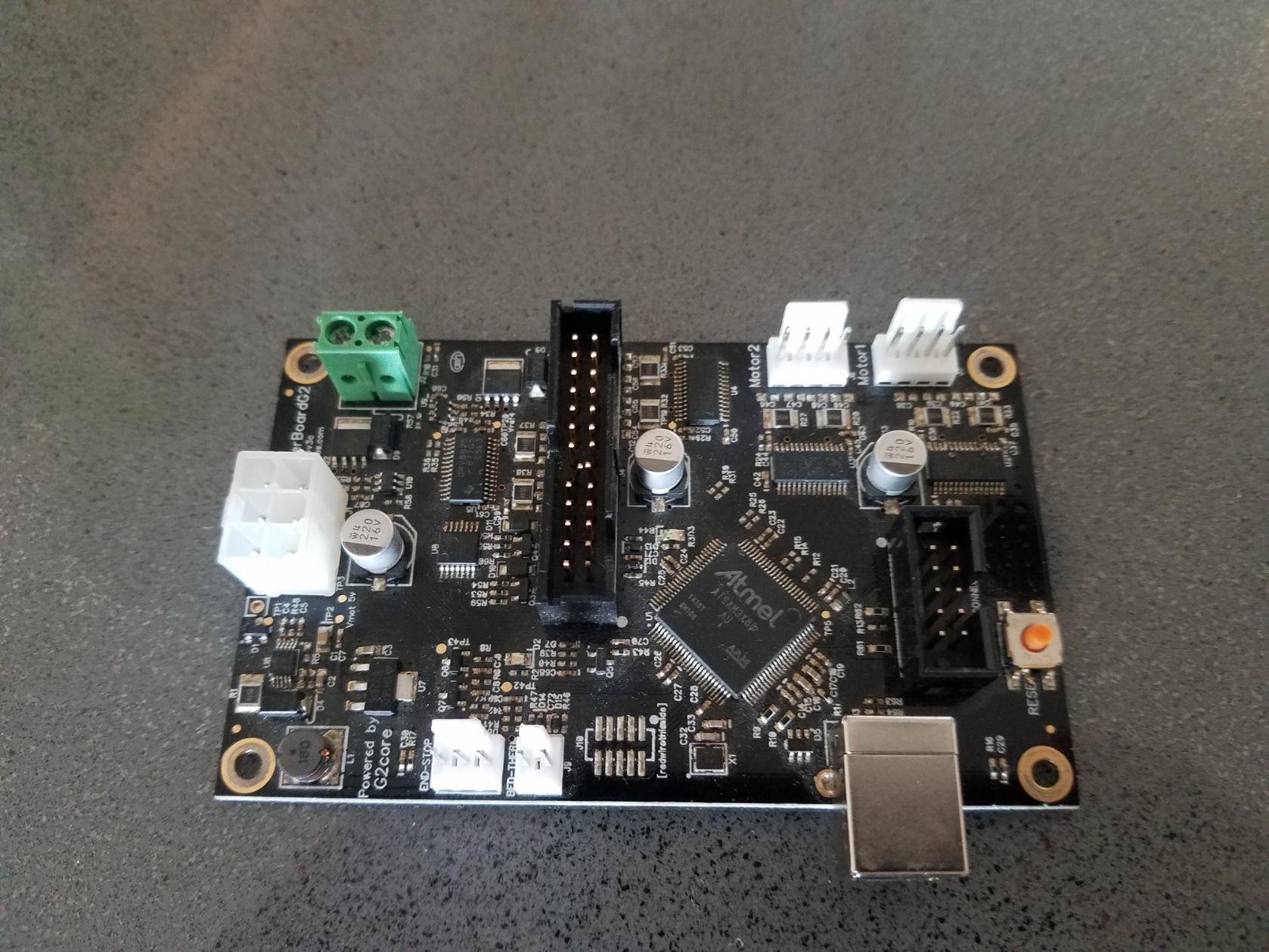
I found mention of it here but also no pictures that would clarify that:
If it were mine, I would get an SKR Mini E3 for $46 and use Marlin on it; it wouldn’t require the daughterboard. That gets you TMC2209 stepper drivers, and doesn’t require a breakout board to power stepper motors over a 26-pin IDC connector. Which in your picture I notice has a crushed header pin. 
But if you take a picture of the current board, still with all the wires connected, we can probably see whether any of them wouldn’t connect.
I am actually just going to return the board. It’s discontinued and not very expandable, so I’m just going to buy the duet 2 wifi. It’s gonna be better for the long run. Appreciate the help.
If you need help getting it hooked up, you know where you can ask. 
Will the duet 2 wifi fit underneath the base of the simple metal?
No it will not fit, but there are some options. Similar to how I did my SSR on my Printrbot Simple Pro, You can cut a bit of the side of it open and do a “sidecar” case design. The main issue is the space between the z-axis block and the X-axis motor is not very big. Honestly I think a duet would require the entire controller be mounted externally.
Hi, I know this post is old, but I only just discovered it. I have a PrintrBot Simple Pro with heated bed. Bought it in late 2017 and not used it much. Recently dragged it out of retirement and tried to power it up. I get the LCD display on, but nothing happens when I try printing. If I try ‘load filament’ it just sits there. The head doesn’t get hot. I think it has ‘lost’ it’s firmware. Is that even possible? The board I have its the G2 - exactly the one shown above. I don’t need an adapter board as mine is a later model and came with the G2 from the start. So my question is: How can I re-flash the firmware? Is the PrintrBot firmware even available? I did a lot of digging on the net, but most software seems to be for the older Marlin boards. Any help would be greatly appreciated. Thanks!
From what I understand, some people did get alternate firmware is loaded on the g2. You might have to search around for that I don’t recall where they were. I think there was some GitHub projects for it. What I did was replace the board with a SKR version 1.2. if it’s with some modifications. But I might start to see if the G2 firmware project is still out there first.
I don’t see a lot of activity about this right now, but you might want to look here:
Thanks for the prompt reply. I’ll head over the that site tomorrow and check it out.
Much appreciated.